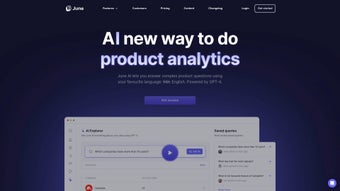

Download June AI – Secure B2B SaaS Analytics Tool
Why June AI Is Changing the Analytics Landscape for B2B SaaS
In the fast‑moving world of B2B SaaS, product teams need instant, reliable insight into how customers interact with their software. Traditional BI platforms often require a data‑science background, lengthy onboarding, and costly licences. June AI cuts through that complexity with a web‑based, auto‑reporting engine that is built from the ground up for SaaS businesses.
The platform’s core promise is simple: generate actionable product‑usage reports with two clicks, no SQL needed. By connecting directly to popular CRMs and workflow tools such as HubSpot, Attio, and even generic REST APIs, June AI pulls the right data, transforms it into visual dashboards, and pushes insights straight into the channels your team already uses, like Slack or Microsoft Teams. Whether you’re a product manager tracking feature adoption, a growth marketer measuring churn predictors, or an executive needing a high‑level health check, June AI delivers a clear, collaborative view of usage trends.
The tool encourages teamwork through shared queries, allowing multiple stakeholders to explore, annotate, and iterate on findings in real time. Although it does not currently support Android widgets or iOS‑specific mobile apps, its focused feature set, rapid deployment, and secure cloud architecture make it a compelling addition to any SaaS analytics stack. June AI also benefits from automatic updates—new features, security patches, and UI enhancements are rolled out continuously, so you never have to manually download or install a new version.
In short, June AI offers a secure, free‑tier‑friendly way to turn raw usage data into strategic decisions without the overhead of a traditional data‑warehouse solution.
Key Features That Empower Data‑Driven Decision‑Making
- Two‑Click Data Source Connection: Link HubSpot, Attio, or any supported API in seconds without writing code.
- Auto‑Generated Reports: Pre‑built templates surface product‑usage metrics, churn risk, and activation funnels automatically.
- Collaborative Query Library: Save, share, and version‑control queries across teams for continuous insight discovery.
- Slack & Microsoft Teams Integration: Push key metric snapshots and alert thresholds directly to your preferred channels for instant visibility.
- Custom Metric Visualization: Drag‑and‑drop charts, heatmaps, and cohort tables to tailor dashboards to stakeholder needs.
- Secure Cloud Architecture: End‑to‑end encryption, SOC‑2 Type II compliance, and role‑based access control keep data safe.
- Responsive Web UI: Works on any modern browser, eliminating the need for desktop installations on Windows, macOS, or Linux.
- Automatic Updates: New features, security patches, and performance improvements are deployed without user intervention.
Pros
- Rapid setup – you can start generating reports within minutes.
- No coding required, making analytics accessible to non‑technical users.
- Deep integration with SaaS‑centric tools (HubSpot, Attio, Slack) reduces data silos.
- Team‑focused features like shared queries and real‑time alerts foster collaboration.
- Transparent pricing with a free tier for small teams and predictable subscription plans.
- Automatic, secure updates keep the software current without manual downloads.
Cons
- Lacks Android widget support and a dedicated iOS app, limiting mobile‑first monitoring.
- Not optimized for non‑SaaS businesses, so broader market applicability is limited.
- Advanced custom analytics may still require external BI tools for deep statistical modeling.
- No native desktop client; relies entirely on a web browser.
- Feature roadmap is still evolving, so some enterprise‑grade capabilities are pending.
Installation, Setup, and Compatibility Overview
Getting started with June AI is designed to be as frictionless as possible. After you download or sign up for the free trial, follow these steps:
- Create Your Account: Provide a business email, set a strong password, and verify your account through the confirmation link.
- Connect Data Sources: From the dashboard, click “Add Data Source.” Choose HubSpot, Attio, or a custom webhook. Authentication is handled via OAuth, ensuring that credentials never touch June AI’s servers directly.
- Configure Metrics: Select from pre‑built usage metrics (e.g., Daily Active Users, Feature Adoption Rate) or define custom events using simple JSON mapping.
- Save & Share Queries: Name your query, add tags, and set permissions (private, team, or organization). Shared queries appear in the “Library” for instant reuse.
- Enable Slack or Teams Alerts (Optional): Generate a webhook URL, paste it into the “Integrations” tab, and choose which metrics trigger notifications.
- Set Up Automatic Updates: Because June AI is a SaaS application, updates are applied server‑side. You’ll see new features appear the next time you log in, without needing to download a patch.
Compatibility: June AI is a cloud‑native SaaS application, meaning it runs on any operating system that supports a modern web browser—Windows 10/11, macOS Catalina or later, Linux distributions, and Chrome OS. No additional software installation is required, and the platform automatically scales to handle large data volumes. For teams that require tighter security, June AI offers Single Sign‑On (SSO) via SAML, IP whitelisting, and detailed audit logs. The platform also complies with GDPR, CCPA, and ISO‑27001, providing built‑in data‑subject request handling from the admin console.
In practice, this means you can start analyzing data from a corporate laptop, a home‑office Mac, or even a Chrome OS device without worrying about version mismatches or manual patches. The seamless, browser‑based experience ensures that every user always works with the latest, most secure version of the software.
Final Thoughts – Is June AI Right for Your SaaS Business?
June AI represents a significant step forward for product analytics in the B2B SaaS arena. By removing the barrier of complex data modeling and delivering instant, shareable insights, it empowers teams to act on real‑time usage data without waiting for a data engineer. The two‑click integration, collaborative query library, and Slack/Teams notifications align perfectly with modern, agile workflows. While the platform’s focus on SaaS limits its appeal to companies outside that niche, the depth of its native integrations and the security posture make it a trustworthy choice for any growing SaaS organization.
If you’re looking for a solution that lets you download actionable analytics quickly, keep costs predictable, and maintain a secure environment, June AI is worth a try. Start your free trial today, explore the pre‑built reports, and see how quickly your team can move from data to decision.
Frequently Asked Questions About June AI
Can June AI integrate with tools other than HubSpot and Attio?
Yes. While HubSpot and Attio are the native integrations, June AI supports generic REST APIs and webhooks. You can map any SaaS data source that exposes JSON, allowing you to pull usage events from custom platforms, CRMs, or marketing automation tools.
Is there a free version or trial available?
June AI offers a 14‑day free trial with full feature access. After the trial, a free tier remains available, which includes basic reporting and limited query saves, making it ideal for small teams or startups.
How does June AI ensure data security and compliance?
All data in transit is encrypted with TLS 1.2+, and data at rest is encrypted using AES‑256. The platform is SOC‑2 Type II certified and adheres to GDPR, CCPA, and ISO‑27001 standards. Role‑based access control and optional SSO further protect sensitive information.
Can I schedule automated reports to be emailed to stakeholders?
Absolutely. June AI lets you set up recurring email distributions for any saved report. You can choose daily, weekly, or monthly frequencies and select specific recipient groups directly from the platform.
What kind of support does June AI provide for onboarding?
June AI offers a dedicated onboarding specialist for enterprise customers, along with a comprehensive knowledge base, video tutorials, and live chat support for all users. The onboarding process includes a step‑by‑step guide to connect data sources, configure dashboards, and set up Slack/Teams alerts.
Review Summary: June AI delivers a fast, user‑friendly analytics experience tailored to B2B SaaS teams. Its strengths lie in rapid deployment, collaborative features, and tight integration with core SaaS tools. The primary drawbacks are limited mobile widget support and a focus solely on SaaS use cases. Overall, it earns a solid 4.5 out of 5 stars.



.png)



